
Introduction
In today’s fast-moving business environment, efficiency is no longer a competitive advantage; it’s a necessity. Companies that rely on disconnected tools, manual processes, or rigid software often struggle with delays, errors, and poor visibility across departments. This is where Odoo stands out with odoo customization.
While Odoo is powerful out of the box, its real strength lies in customization. When tailored correctly, Odoo can reshape how your teams work, communicate, and scale. In this blog, we’ll explore how Odoo customization transforms business workflows and why it delivers long-term ERP value.
Understanding Odoo Customization
Odoo customization means adapting the ERP to match your actual business processes, not forcing your teams to change how they work. This can include:
- Custom workflows and approvals
- Industry-specific modules
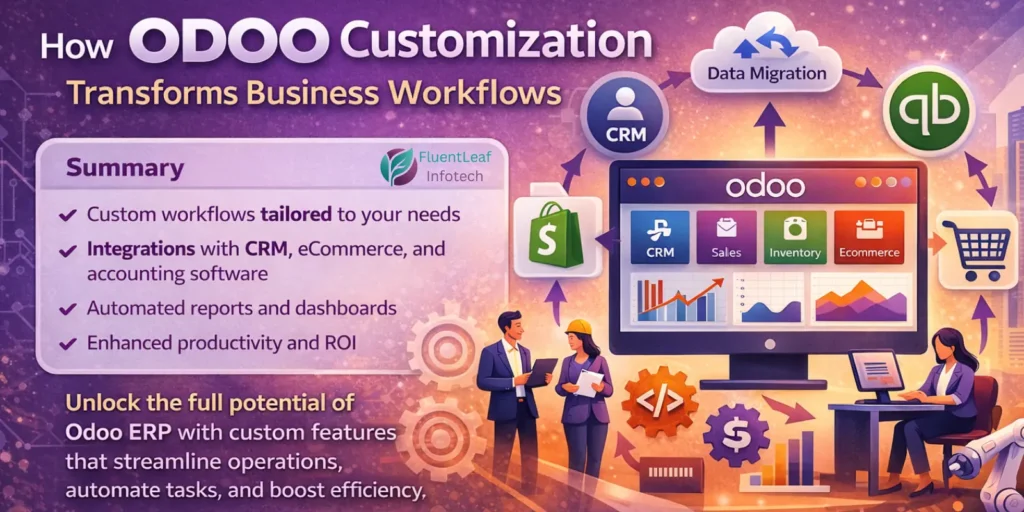
- Automated reports and dashboards
- Custom fields, views, and business logic
- Integrations with CRM, eCommerce, accounting, or third-party tools
Combined with professional Odoo customization services, this flexibility ensures your ERP supports growth instead of slowing it down.
How Customized Odoo Workflows Improve Operations
1. Process Automation That Eliminates Bottlenecks
Manual handovers and repetitive tasks are common productivity killers. With Odoo customization, businesses can automate workflows such as:
- Sales → invoicing → payment follow-ups
- Purchase requests → approvals → vendor bills
- Manufacturing orders → inventory → delivery
These automations reduce human error and speed up execution; one of the most practical Odoo ERP benefits.
2. Tailored Modules for Industry-Specific Needs
Every industry operates differently. A manufacturing company, a retail brand, and a service provider cannot run on identical workflows.
Customization allows you to:
- Add production-specific validations
- Track batch/lot data automatically
- Create service-based billing logic
- Design custom KPIs for management
This is where Odoo consulting plays a critical role; translating business requirements into scalable ERP designs.
3. Seamless Odoo Integration Across Systems
Most businesses already use tools like CRMs, eCommerce platforms, or accounting software. Custom integration ensures Odoo becomes the central system of record.
Examples include:
- Real-time order sync when you integrate Shopify with Odoo
- Automated financial entries when you integrate QuickBooks with Odoo
- Unified customer data via Odoo integration with CRM/eCommerce/others
These integrations remove duplicate data entry and improve decision-making across teams.
Customization vs Standard ERP: Why Odoo Stands Apart
When evaluating Odoo vs other ERP systems, flexibility is the key differentiator. Traditional ERPs often require expensive add-ons or rigid processes. Odoo’s modular architecture allows you to:
- Start small and scale gradually
- Customize without breaking core functionality
- Control costs while maximizing ROI
This balance is why many businesses choose professional Odoo implementation services over off-the-shelf ERP deployments.
Final Thoughts
Odoo customization is not about adding complexity; it’s about removing friction from your business workflows. When implemented strategically, Odoo becomes more than an ERP; it becomes a growth platform aligned with your operations, teams, and future goals.
Whether you’re planning a fresh implementation, system migration, or workflow optimization, the right customization approach can turn Odoo into a powerful driver of efficiency, visibility, and scalability.
📞 Contact us today to get started on your Odoo success journey!